

You’re standing at a bus station in a city you don’t know. The departure board shows three buses, none of them yours. The ticket kiosk only accepts local credit cards. The station Wi-Fi is dead. That’s the moment most travelers download five apps in a panic—and still miss their bus.
This is the real problem with bus travel: the information is scattered. Airlines solved this decades ago with unified booking systems. Buses? Still a mess of regional operators, paper tickets, and schedules that change without notice. These seven apps close that gap.
What Makes a Bus App Actually Useful?
Most bus apps fail for the same reason. They only show one operator. Or they require an account. Or they don’t work offline.
A useful bus app does three things. First, it aggregates multiple operators in one search. Second, it works when you have no signal. Third, it handles the transaction—booking, payment, and ticket storage—without forcing you to print anything.
Rome2Rio does the aggregation part better than anyone. Type “Medellín to Salento” and it shows you four bus companies, their prices in COP, and estimated travel times. It doesn’t book tickets directly for most routes, but it tells you exactly which company to walk to and what you should pay. That alone saves hours of Googling.
Google Maps has quietly become the best backup. In transit mode, it shows bus routes, live departure times, and even platform numbers for major stations. The offline maps feature lets you download entire cities’ transit data before you leave Wi-Fi. Critical when you arrive somewhere at 2 AM.
The failure mode here is trusting one source. Use Rome2Rio for discovery, Google Maps for navigation, and a regional app for booking. Never rely on a single app for the whole trip.
BusBud vs. Wanderu: Which One Should You Install?

These two apps compete directly. Both aggregate bus schedules across North America and parts of Europe. Both let you book tickets in-app. They are not interchangeable.
| Feature | BusBud | Wanderu |
|---|---|---|
| Operators covered | Greyhound, FlixBus, Peter Pan, Trailways, and 40+ regional lines | Greyhound, FlixBus, Megabus, OurBus, and 30+ regional lines |
| Booking fee | $1.99–$3.99 per ticket | $0.99–$2.99 per ticket |
| Mobile ticket | Yes, QR code in app | Yes, QR code in app |
| Price comparison | Shows base fare + fees clearly | Shows all-in price |
| Cancellation policy | Depends on operator, app does not offer its own refund | Depends on operator, app does not offer its own refund |
BusBud wins on coverage. It includes smaller regional lines that Wanderu misses. If you’re traveling through the American South or Midwest, BusBud finds options Wanderu doesn’t.
Wanderu wins on price transparency and lower fees. The all-in pricing means no surprise charges at checkout. For a $20 ticket, Wanderu’s $0.99 fee beats BusBud’s $3.99 fee by a meaningful margin.
My pick: install both. Use Wanderu for the initial search because the pricing is cleaner. If Wanderu shows only one operator, check BusBud for alternatives. Book through whichever has the lower total cost.
When Not to Use Aggregator Apps
Aggregators fail in three specific situations. Knowing these saves you money and frustration.
Situation 1: You’re in Southeast Asia. Rome2Rio and BusBud barely cover operators like GreenBus (Thailand), El Dorado (Philippines), or DAMRI (Indonesia). You’re better off using 12Go.asia for Southeast Asia bus and ferry bookings. It covers routes from Bangkok to Chiang Mai, Ho Chi Minh to Da Lat, and Bali to Lombok with real-time seat availability. Book directly through 12Go’s app; the aggregators won’t show these routes.
Situation 2: The operator has its own app with dynamic pricing. FlixBus is the prime example. FlixBus’s own app often shows prices $2–$5 lower than what BusBud or Wanderu display, especially for routes booked 3+ days in advance. The aggregators add a markup. Always check the operator’s own app before buying.
Situation 3: You need a physical ticket for a border crossing. Some land borders (e.g., between Cambodia and Vietnam, or Serbia and Bosnia) require a printed ticket or a specific operator’s voucher. Aggregator QR codes sometimes get rejected at immigration. In these cases, buy directly from the operator or at the station.
The common mistake is assuming aggregators always have the best price. They don’t. Use them for discovery, then verify pricing with the operator directly.
Offline Navigation: The App That Saves You at 3 AM

You arrive in a new city. Your phone has 15% battery. The station has no Wi-Fi. You need to find your hostel, but Google Maps needs a signal to load the route.
Moovit solves this. It lets you download entire city transit networks for offline use. You select a city—say, São Paulo or Istanbul—and Moovit downloads all bus lines, metro routes, and timetables. When you’re offline, it still shows you which bus to take, where to transfer, and how long the walk is.
The data is updated every two weeks. For short trips (under a week), the offline version is reliable enough. For longer stays, refresh the download when you find Wi-Fi.
Moovit covers 3,400+ cities worldwide. It’s especially strong in Latin America and Europe. In Mexico City, it shows the RTP buses, Metrobús lines, and pesero routes that Google Maps sometimes misses. In Berlin, it includes the BVG night buses that run every 30 minutes after midnight.
One limitation: Moovit doesn’t show long-distance buses. It’s strictly urban and suburban transit. Use it for the last-mile problem, not for the 12-hour overnight ride.
Booking International Bus Routes Without Getting Scammed
Crossing borders by bus is where most travelers lose money. The scams are predictable: fake ticket websites that look like the official operator, “booking fees” that triple the price, and drivers who demand cash “for the border tax.”
Trainline is the safest option for European cross-border routes. It handles buses too—specifically FlixBus, BlaBlaBus, and National Express. You book through Trainline, pay with a credit card, and get a QR code. No cash. No fake websites. Trainline also shows the exact border crossing point and estimated wait time.
For routes outside Europe, 12Go.asia (Asia) and BusBud (Americas) are the most trustworthy aggregators. Both use HTTPS booking, accept PayPal, and send confirmation emails with the operator’s local phone number. If the app shows a route but no operator phone number, don’t book it.
The failure mode is urgency. When you need a bus that leaves in two hours, you skip the verification steps. Slow down. Cross-check the operator name on Google. Read recent reviews on TripAdvisor or Reddit. A 10-minute check saves you from buying a fake ticket that gets rejected at boarding.
One more thing: never pay in cash for a pre-booked ticket. Legitimate operators accept digital payment or card at the station. Cash-only “booking” sites are scams.
Why You Still Need a Paper Backup
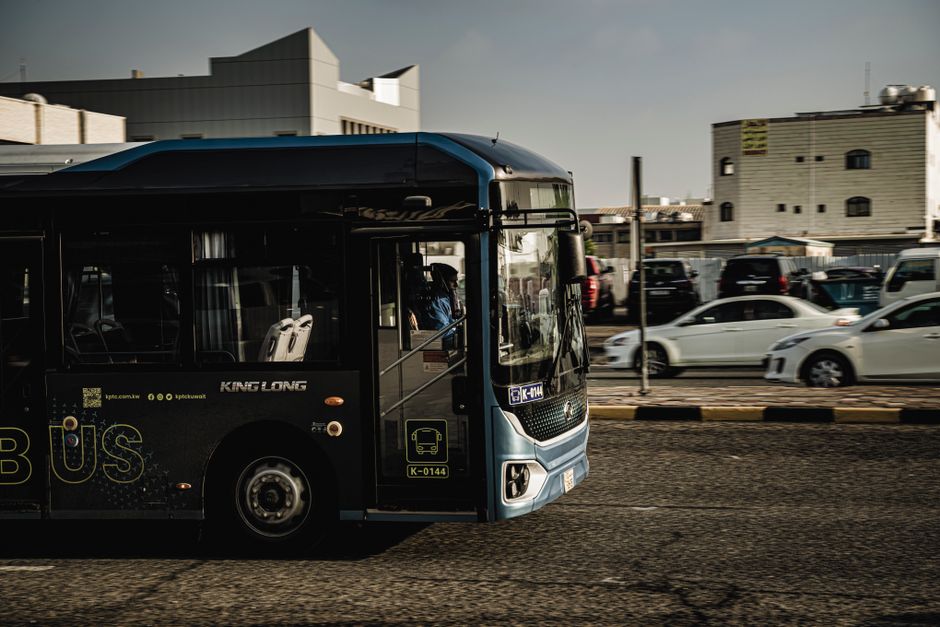
Apps fail. Batteries die. QR codes don’t scan. Station staff refuse to accept digital tickets. These are not edge cases; they happen on roughly one in twenty bus trips.
Carry a printed copy of your booking confirmation. Not a screenshot—a physical piece of paper. It costs ten cents at a hostel printer and saves you from buying a second ticket when the driver says “your phone screen is too cracked to scan.”
The paper copy should show: the operator name, departure time, route number, seat number (if assigned), and the booking reference. Fold it into your passport sleeve. You will use it exactly once, and that one time will be worth the effort.
Also write down the operator’s local phone number. If the bus is delayed or cancelled, calling is faster than finding Wi-Fi to check the app. Store it in your phone contacts as “[Operator Name] Bus Help.”
The apps listed here—Rome2Rio, Google Maps, BusBud, Wanderu, Moovit, Trainline, and 12Go.asia—cover 90% of bus travel scenarios. The remaining 10% is handled by that printed paper and a phone number saved on your lock screen.